


Knowing my obsession with headphones, friends and family members often ask me, “What is a good headphone to buy?” My response is always the same: “It depends on your budget, how often you listen, and the type of music you enjoy.” But that’s not the focus of this article. Instead, I want to share a few ways you can improve the sound quality of the gear you already own. For simplicity, I’ll use the terms “earphones” and “headphones” interchangeably to cover everything from over-ear cans to wireless earbuds.
Let me first share an amazing memory that I still cherish to this day. The year was 1979, and a family friend had just bought the very first Sony Walkman (the legendary TPS-L2). As those lightweight earphones settled onto my head, I was stunned by the high-quality sound and the distinct panning effects. It was a massive leap forward from the mono (single-channel) sound we were used to hearing on our home radio sets and early tape recorders.
As we moved through the ’80s and into the ’90s, popular music began heavily featuring electronic drums and synthesized beats, driving a massive demand for deeper bass and lower frequencies. Looking back, those original Walkman headphones sounded incredibly clear, but they were quite “tinny” by modern standards because they lacked low-end punch. The same went for the stereo cassette “two-in-ones” sold in the 1980s, which relied purely on the novelty of the “Stereo” feature to sell.
By the time the 1990s arrived, we finally got the bass we yearned for, proudly announced via “Mega Bass” stickers slapped across boomboxes and personal cassette players. With the eventual advent of EDM, hard rock, and house music, our craving for low-end bass only grew.
Naturally, manufacturers responded by tuning their headphones specifically to emphasize bass. A great current example of this is the Sony ULT Wear series. Just last week, I even saw an Instagram post announcing the world’s first headphones with built-in subwoofers! Imagine the fate of your eardrums if you played those at full volume.
On the flip side, many audiophiles listen to genres that demand careful listening to all the details – like jazz, classical, acoustic vocals, evergreen Hindi film melodies, and instrumentals from the ’40s through the ’70s. If your playlist looks like this, you are much better off with headphones that offer a balanced sound signature. You want gear where the bass frequencies won’t drown out the crucial mid and high frequencies that give these genres their life.
Tips to Improve Your Sound
Here are six simple tweaks that will make a massive difference in your daily listening experience.
1. Switch to Wired Earphones
If you want to experience true high-resolution audio or fully appreciate spatial processing technology like Dolby Atmos, you need wired earphones. While Bluetooth technically supports Dolby Atmos, it doesn’t stream it natively. Standard Bluetooth bandwidth simply cannot transmit the original 128-channel spatial data of a true Dolby Atmos mix, so it uses a compressed, virtualized “spatial audio” or “binaural” stereo signal workaround.
If you absolutely must stay wireless for high-res audio, make sure both your phone and your Bluetooth headphones support advanced “Hi-Res” Bluetooth codecs like LDAC or aptX Adaptive.
2. Use Lossless Audio Codecs
Early digital audio formats (like WAV and AIFF) produced massive files. Given the strict bandwidth limitations of the early internet, downloading or transferring them took forever. That changed when lossy file compression was invented, most notably the MP3 format.
Technically, we are talking about “audio codecs” (short for coder-decoder) – the software algorithms that compress and decompress digital audio. Their main job is to shrink file sizes so they take up less storage and stream efficiently. However, traditional compression comes with a trade-off: a noticeable drop in sound quality.
To combat this, audio enthusiasts and musicians turned to “lossless” formats, which retain 100% of the original audio data during compression. FLAC (Free Lossless Audio Codec) is the most widely used open format today, compatible with almost every platform. Apple also developed its own version, ALAC (Apple Lossless Audio Codec), for Apple Music.
You will also encounter AAC. While technically a “lossy” format because it discards imperceptible data to keep files small, it is highly efficient and universally accepted. It provides exceptional, transparent sound quality at lower bitrates, making it perfect for streaming over mobile data and far superior to old-school MP3s.
Today, you can find lossless and high-quality streaming tiers on platforms like Apple Music, Tidal, Amazon Music Unlimited, and Qobuz. If you still rip songs from your old audio CDs, always opt for a lossless format like FLAC to preserve the quality.
3. Tweak Your Phone’s Settings
Most smartphone users stick to default audio settings out of the box. Buying a premium smartphone and ignoring its internal audio settings is like buying a Ferrari just to drive it through pothole-ridden city streets. Why invest in top-tier hardware if you never utilize the advances features for better experiences?
Open your Settings app, navigate to Sound & Vibration, and look for options labeled Advanced, Sound Effects, or Audio Quality.
Many modern phones offer native Spatial Audio or Holo Sound features designed to mimic a 3D movie theater experience. If your phone features built-in Dolby Atmos, you will likely find specific audio profiles: Movie, Gaming, Music, or Smart (which adapts to your environment automatically). Spend an afternoon playing around with these toggles to discover what sounds best to your ears.
4. Use a Dedicated DAC
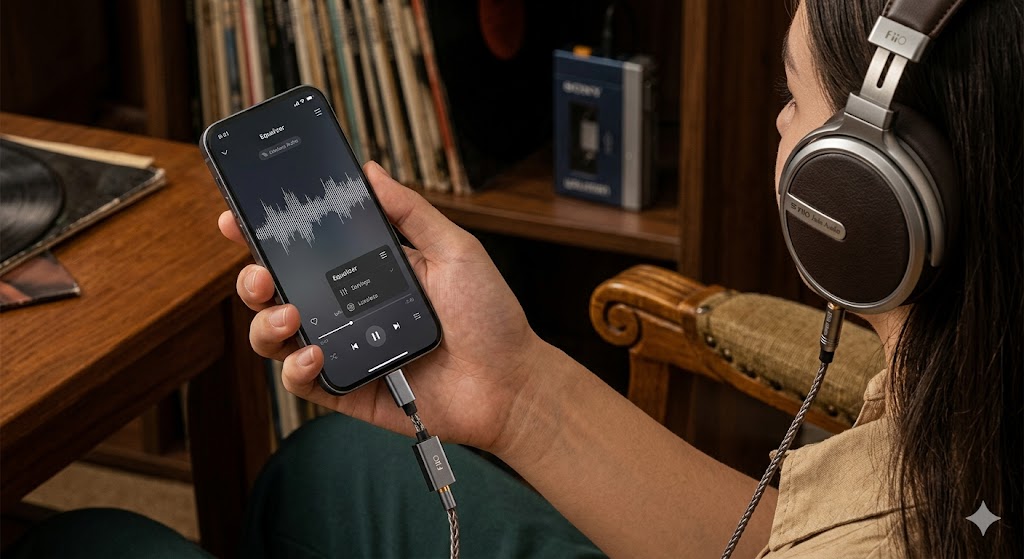
Most modern phones have abandoned the traditional 3.5mm headphone jack in favor of a single USB-C or Lightning port. Because humans hear in analog waves and smartphones store music in digital bits, every device requires a DAC (Digital-to-Analog Converter) to make the music audible.
While internal phone DACs are fine, a dedicated external DAC dongle will completely transform your music. These aren’t just simple plastic adapters; they house dedicated amplification and conversion chips that dramatically clean up the signal and boost audio separation.
You don’t need to break the bank, either. Great entry-level DAC dongles include the FiiO x Jade Audio JA11 (approx. INR 999) or the FiiO Snowsky Tiny (approx. INR 1,999).
5. Leverage Equalizers and Volume Normalization
Software equalizers (EQs) give you precise control over specific frequencies across the sound spectrum. If your headphones are too bass-heavy, you can roll off the low-end, bump up the mids for clearer vocals, or raise the treble for a bit more sparkle.
You can find excellent free and paid equalizer apps on the Google Play Store and iOS App Store, such as Poweramp or SpotIQ (tailored for Spotify).
A word of caution: Always check your volume levels before hitting play after adjusting an external EQ app. I once forgot to reset an aggressive preamp boost and nearly blew my eardrums out the next time I opened my streaming app.
To avoid this, look for a Volume Normalization or “Set Loudness” feature inside your streaming app’s settings. Enabling this ensures all tracks play at a consistent volume level so you don’t get startled by a suddenly loud song.
6. Know When It’s Time to Upgrade Your Phone
If you’ve tweaked your settings, switched to wired audio, tried a DAC, and your music still sounds muffled or flat, the bottleneck might be your source device.
By today’s breakneck technology standards, a four-year-old phone is considered vintage. Of course, given tight budgets and economic realities, it’s always smart to hold onto your tech for as long as possible. However, you can’t expect audio miracles from an 8- to 10-year-old device whose internal components and software protocols are entirely outdated. If you’re using an ancient device, upgrading even to a modern budget-friendly phone will offer a night-and-day difference in processing power and audio codec support.
Happy listening!
About the Author: The writer is an avid audio enthusiast, owns an extensive collection of headphones, and regularly reviews consumer audio gear.